

Summary
pg_createcluster provides a superior method for initializing PostgreSQL on Ubuntu compared to the traditional initdb command by automating critical system integrations and establishing a standardized directory structure that minimizes manual configuration errors.
- Seamless Service Integration: The utility automatically registers the database as a managed systemd service and centralizes configuration files within
/etc/postgresql/, removing the need for manual script creation and environment variable setup. - Native Multi-Cluster Management: Administrators can effortlessly create, upgrade, and manage multiple independent clusters side-by-side with distinct ports and versions using built-in wrapper commands like
pg_lsclustersandpg_upgradecluster. - Automated Safety Defaults: By automatically handling file permissions, user ownership, and unique port assignments, the tool prevents common security risks and startup failures often associated with manual initialization.
Embracing this distribution-specific utility ensures a consistent, maintainable, and audit-ready database environment that aligns perfectly with Ubuntu‘s package management standards.
Table of contents
Introduction
When deploying a new PostgreSQL instance, one of the first critical steps is initializing the database cluster. This process involves creating the data directory structure, system databases, and default configuration files. While this step is common across Linux distributions, the approach varies significantly by operating system.
On RHEL-based systems (such as CentOS or Rocky Linux), database administrators traditionally use the initdb command to create the cluster manually. On Ubuntu and Debian, the recommended approach is to use pg_createcluster, a utility provided by the PostgreSQL Debian packaging system.
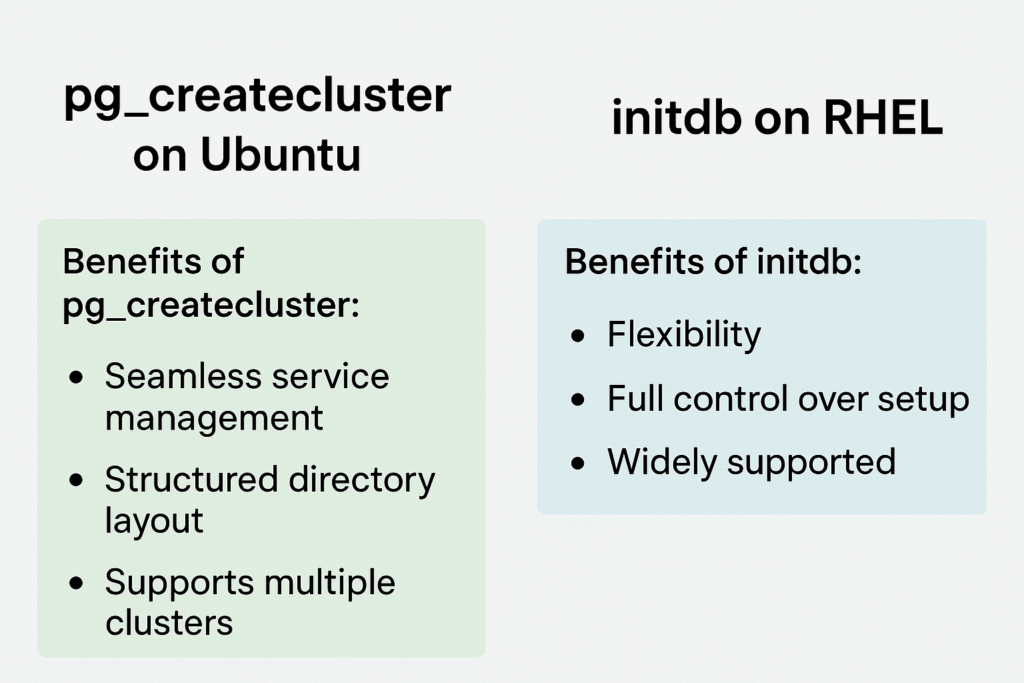
While both methods ultimately achieve the same goal, pg_createcluster offers several advantages that make it the preferred and safer choice on Ubuntu systems, particularly in production environments.
Advantages that Make pg_createcluster the Preferred Choice
1. Seamless Integration with Ubuntu Service Management
Ubuntu’s PostgreSQL packages are closely integrated with systemd and the PostgreSQL cluster management framework. When PostgreSQL is installed via apt, the installer automatically:
- Creates a default cluster using pg_createcluster
- Registers it as a managed systemd service
- Links configuration and metadata to /etc/postgresql/<version>/<cluster_name>
Using pg_createcluster ensures:
- Automatic service registration (postgresql@<version>-<cluster_name>.service)
- Consistent service naming and simplified management via pg_ctlcluster
- Centralized configuration in /etc/postgresql/
In contrast, clusters initialized manually using initdb require administrators to:
- Manually register the service with systemd
- Configure environment variables
- Manage data and configuration paths, as well as permissions
This difference highlights how pg_createcluster integrates seamlessly into Ubuntu’s OS framework, reducing setup complexity and the risk of misconfiguration.
2. Structured Directory Management
pg_createcluster automatically establishes a well-structured directory hierarchy:
- Data files: /var/lib/postgresql/<version>/<cluster_name>
- Configuration files: /etc/postgresql/<version>/<cluster_name>
- Logs: /var/log/postgresql/
This separation simplifies administration, backups, and version upgrades.
By comparison, initdb initializes all files in a single directory unless manually modified, which can become cumbersome when managing multiple clusters or PostgreSQL versions.
3. Native Multi-Cluster Support
A key advantage of pg_createcluster is its native multi-cluster management:
sudo pg_createcluster 14 testdb
sudo pg_createcluster 16 devdb
Each cluster is independent, with its own configuration, port, and service unit. Management commands, such as:
sudo pg_lsclusters
sudo pg_ctlcluster 16 devdb start
Make it straightforward to monitor and operate multiple clusters.
With initdb, supporting multiple clusters requires manually managing directories, ports, and service scripts – increasing the likelihood of errors.
4. Automated Defaults and Version Awareness
pg_createcluster intelligently sets:
- Default data directory paths
- Port numbers (avoiding conflicts with existing clusters)
- Locale and encoding settings
- Ownership and permissions
Additionally, it ensures that version-specific binaries are correctly referenced, reducing the risk of version mismatches.
Using initdb requires the administrator to specify all these parameters manually, increasing the risk of errors.
5. Simplified Upgrades and Maintenance
Ubuntu provides additional tools, such as pg_upgradecluster and pg_dropcluster, that work seamlessly with clusters created with pg_createcluster.
For example, a major version upgrade can be performed easily:
sudo pg_upgradecluster 14 mainThis command automatically handles configuration, permissions, and data migration. Using initdb would require manual upgrades with pg_upgrade and reconfiguration of service units, directories, and permissions.
6. Reduced Risk of Human Error
pg_createcluster automates many tasks that are prone to human error:
- Ensures the postgres user owns all relevant directories
- Sets correct file permissions (preventing open-world read/write)
- Configures essential parameters such as data_directory and port
Manual initialization with initdb demands careful attention to these details, particularly in production environments, to avoid startup failures or security issues.
7. Example Comparison
Using initdb on RHEL:
sudo -u postgres /usr/pgsql-16/bin/initdb -D /var/lib/pgsql/16/data
sudo systemctl enable postgresql-16
sudo systemctl start postgresql-16
Using pg_createcluster on Ubuntu:
sudo pg_createcluster 16 main
sudo systemctl start postgresql@16-main
The Ubuntu approach automates service registration, configuration management, and cluster initialization, making it faster, safer, and more consistent with PostgreSQL best practices.
Conclusion
While initdb remains a flexible and powerful tool for custom or source-based installations, pg_createcluster is the preferred method on Ubuntu and Debian. It aligns with the operating system’s packaging system, supports multi-cluster management, reduces manual configuration, and minimizes human error.
For database administrators operating in Ubuntu environments, embracing pg_createcluster ensures consistency, simplicity, and maintainability, which are key to running a reliable PostgreSQL deployment.
Note: pg_createcluster is a Debian/Ubuntu-specific wrapper around initdb, provided by the postgresql-common package. It is not included by default on RHEL, CentOS, Fedora, or Rocky Linux, as the postgresql-common package is exclusive to Debian-based distributions.
Please contact us for any questions.